
Data & analytics
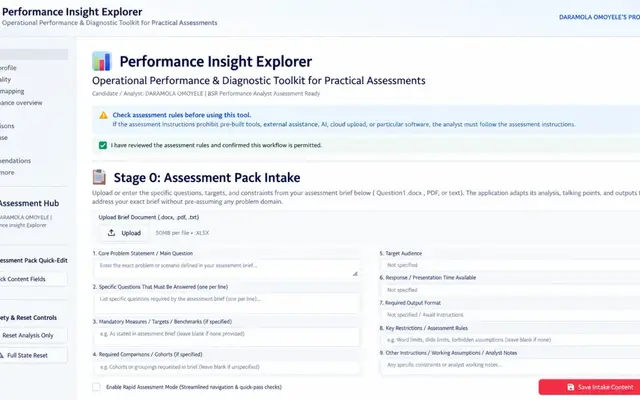
Performance Insight Explorer
Upload an unfamiliar operational dataset and work through profiling, data-quality checks, KPI set-up, trends, root-cause exploration and exportable reporting.
- Status
- Prototype Live demo on Streamlit Community Cloud
- Access
- Open to try
- Type
- Own product
- Role
- Product owner, analyst and developer.
- Built with
- Python
- Streamlit
- pandas
- statsmodels
- Plotly
- python-pptx
- ReportLab
- pytest
- Link checked
- Loads; application interface renders (10 October 2026)
The problem
Performance data often arrives with unknown columns, gaps and errors. Teams spend their time cleaning and re-building the same charts instead of deciding what to do.
Who it is for
Operational managers, performance analysts and teams that receive spreadsheets in inconsistent formats.
What was built
A schema-flexible Streamlit application that profiles a dataset, scores data quality across ten dimensions, lets users define KPIs without code, and produces trend, control-chart and driver analysis with presentation-ready exports.
Key features
- Upload CSV, Excel, Parquet or JSON and profile it automatically
- Ten-dimension data-quality checks with remediation choices
- No-code KPI builder with targets and thresholds
- Statistical process control charts, comparisons and driver analysis
- Exports to PowerPoint, PDF, Excel and Markdown
Results so far
Working public demo. The repository includes an automated test suite and sample datasets across several sectors.
Limitations and context
- Free hosting: the app can take a minute to wake after inactivity.
- A prototype for exploration and demonstration, not a managed enterprise service.